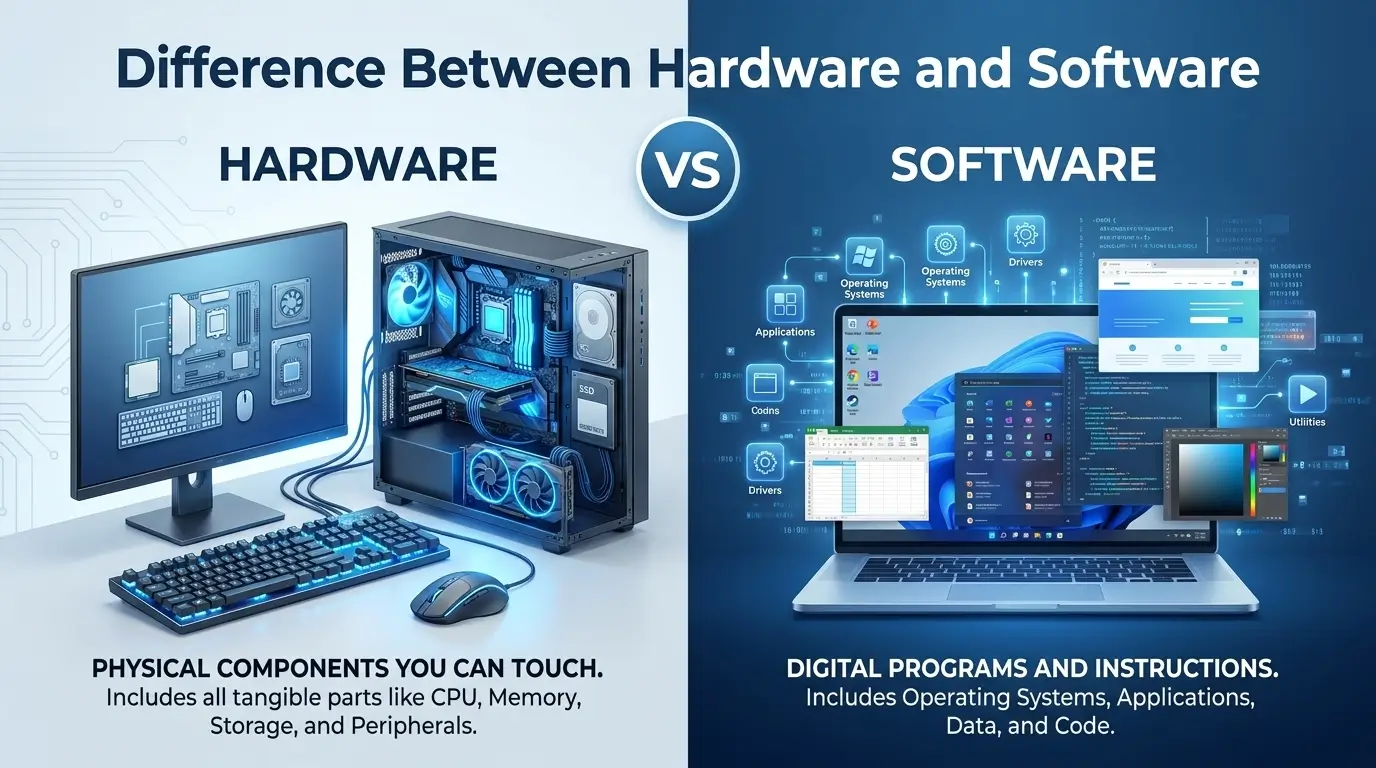
Computers may look simple from the outside, but two basic parts make them useful: hardware and software. If you have ever wondered why a computer can physically exist but still do nothing useful without programs, the answer starts with understanding the difference between hardware and software.
People often search for the difference between hardware and software because the two terms are taught together in computer classes, yet they describe very different things. One refers to the physical parts you can touch, while the other refers to the instructions and programs that tell those parts what to do.
The difference between hardware and software becomes clearer when you think of a laptop, smartphone, or game console. The screen, keyboard, processor, and storage drive are hardware. The operating system, apps, and games are software.
Understanding the difference between hardware and software helps students, new computer users, and anyone learning basic technology concepts. It also makes technical conversations much easier to follow.
Quick Answer
The simplest difference between hardware and software is this:
Hardware is the physical part of a computer. Software is the set of programs and instructions that make the hardware perform tasks.
You can touch hardware. You cannot physically touch software itself.
For example:
- A keyboard is hardware.
- A computer mouse is hardware.
- A monitor is hardware.
- A processor is hardware.
- Windows is software.
- A web browser is software.
- A word processor is software.
- A mobile app is software.
Think about a smartphone. The glass screen, battery, cameras, speakers, and internal chips are hardware. The operating system and apps running on the phone are software.
Hardware and software depend on each other. Hardware provides the physical equipment, while software gives that equipment instructions.
| Feature | Hardware | Software |
|---|---|---|
| Meaning | Physical computer components | Programs and instructions |
| Can you touch it? | Yes | No |
| Main role | Performs physical operations | Tells hardware what to do |
| Examples | CPU, keyboard, RAM, monitor | Windows, apps, games |
| Can it wear out physically? | Yes | Usually does not wear out physically |
| Can it be updated? | Sometimes | Yes, very commonly |
| Can it work alone? | Usually not usefully | Needs suitable hardware to run |
The Origin of Hardware and Software
The words hardware and software have older meanings that existed before modern personal computers.
The word hardware is formed from hard + ware. The element ware has long been used for manufactured or commercial goods, as seen in words such as tableware and glassware. In computing, hardware came to mean the physical equipment of a computer system.
The word software was created as a contrasting term to hardware. It uses soft + ware. In computing, it came to describe programs and instructions rather than physical machinery.
The exact history of the term software is sometimes discussed in connection with early computing terminology, and different historical accounts give different details about its early use. The important point is well established: software developed as a term for the non-physical instructions and programs used with computer hardware.
There is no British-versus-American spelling difference between these two terms. Both varieties use:
- hardware
- software
The words are spelled the same in British and American English because they are standard international technology terms.
Pronunciation
Hardware and software do not have identical pronunciation, although they share the ending -ware.
Both are normally pronounced with two syllables.
The main stress falls on the first part of each word. The shared ending sounds like the word where in many varieties of English.
You do not need to change the pronunciation for British or American English when using these terms in normal technology discussions.
Parts of Speech
Both hardware and software are primarily nouns.
Hardware names the physical equipment of a computer or electronic system.
Example:
“The computer has powerful hardware.”
Software names programs, applications, or other sets of instructions used by a computer.
Example:
“The software needs an update.”
Both words are commonly used as mass nouns. We normally say:
- “The hardware is expensive.”
- “The software is easy to use.”
We do not normally use hardwares or softwares when referring to computer equipment or programs in general.
Instead, use specific countable nouns when needed:
- hardware components
- software programs
- software applications
- hardware devices
British English vs American English Spelling
There is no meaningful British English vs American English spelling difference for hardware or software.
| Term | British English | American English | Spelling Difference |
|---|---|---|---|
| Hardware | hardware | hardware | None |
| Software | software | software | None |
| Hardware device | hardware device | hardware device | None |
| Software program | software program | software program | None |
Some technology words can have regional differences in usage or preferred terminology, but hardware and software themselves do not have a British spelling and an American spelling.
This means you can use the same spellings for schoolwork, websites, technical documents, emails, and everyday communication.
Which Spelling Should You Use?
Use hardware when you mean the physical equipment.
Use software when you mean programs or instructions.
Your audience does not change the spelling.
For US readers
Write:
“The computer hardware needs to be replaced.”
For UK or Commonwealth readers
Write:
“The computer hardware needs to be replaced.”
The spelling is the same.
For global readers
The standard terms hardware and software are the safest choices. They are widely understood in computer science, education, business, and everyday technology discussions.
The more important issue is not spelling. It is using the correct word.
If you are describing something that exists as a physical device, hardware is usually the right term. If you are describing a program or set of computer instructions, software is usually correct.
Common Mistakes with Hardware and Software
Mistake 1: Calling an app hardware
An app is software.
Incorrect:
“I installed new hardware on my phone when I downloaded the app.”
Correct:
“I installed new software on my phone when I downloaded the app.”
Downloading or installing an app changes the software on a device, not its physical hardware.
Mistake 2: Calling a keyboard software
A physical keyboard is hardware.
Correct:
“The keyboard is a hardware device.”
However, a virtual keyboard displayed on a screen is created through software, so the context matters.
Mistake 3: Saying software can be physically touched
You can touch the device that stores or runs software, but you cannot touch the program itself in the same way you can touch a keyboard or monitor.
A USB drive is hardware. The files stored on it are digital information, including software.
Mistake 4: Using “softwares” as the plural
In standard technical English, software is usually treated as an uncountable or mass noun.
Instead of:
“I installed three softwares.”
Write:
“I installed three software programs.”
Or:
“I installed three applications.”
Mistake 5: Thinking hardware and software are interchangeable
They are not.
A computer’s processor is hardware. The instructions that tell the processor what operations to perform are part of software.
Both are needed for a functioning computer system.
Difference Between Hardware and Software in Everyday Examples
These terms appear in many forms of communication, from emails to news reports and school assignments.
In an Email
Imagine an employee reports a computer problem:
“The software is working, but the keyboard hardware appears to have a problem.”
This sentence clearly separates the program from the physical device.
Another example:
“Please install the latest software update before the meeting.”
Here, software refers to the programs running on the device.
In News Writing
Technology news often discusses both terms.
For example:
“The company released new software for its existing devices.”
The physical products are hardware, while the newly released programs are software.
Another example:
“The new hardware can process data faster.”
Here, hardware refers to physical computer components.
On Social Media
People often use these terms casually:
“My laptop hardware is old, but the software is still up to date.”
The statement means that the physical components are older while the programs have recently been updated.
In Formal Writing
In academic or technical writing, the distinction should be precise.
Good:
“Computer hardware provides the physical components required to run software.”
Also good:
“Software gives a computer instructions for performing specific tasks.”
These definitions are short but accurate.
What Is Hardware?
Hardware includes the physical components that make up a computer or electronic device.
Common examples include:
- Central processing unit (CPU)
- Random-access memory (RAM)
- Storage drives
- Motherboard
- Monitor
- Keyboard
- Mouse
- Speakers
- Webcam
- Printer
- Network equipment
Hardware can be divided into different groups based on its function.
Input hardware allows users or other systems to provide information to a computer. A keyboard, mouse, microphone, and scanner are examples.
Output hardware presents information. A monitor, printer, and speaker are common examples.
Processing hardware handles computer operations. The CPU is a major example.
Storage hardware holds digital data. Solid-state drives and hard disk drives are examples.
Some hardware is built inside a device, while other hardware is connected externally.
Hardware can be damaged, physically replaced, upgraded, or affected by heat, dust, electricity, and normal wear.
What Is Software?
Software consists of programs, instructions, and related digital components that tell computer hardware how to perform tasks.
Software includes many different types.
Operating Systems
An operating system manages the basic functions of a computer or mobile device.
Examples include Windows, macOS, Linux distributions, Android, and iOS.
Applications
Applications help users perform specific tasks.
Examples include:
- Word processors
- Web browsers
- Photo editors
- Music players
- Email applications
- Games
System Software
System software helps manage and operate computer hardware.
Drivers are one example. A device driver allows an operating system to communicate with a particular hardware component.
Programming Software
Developers also use software to create other software. Compilers, interpreters, code editors, and development environments are examples.
Unlike hardware, software does not normally become physically worn out through ordinary use. However, it can contain bugs, become outdated, stop receiving support, or become incompatible with newer systems.
How Hardware and Software Work Together
Hardware and software are not competing parts of a computer. They work as a team.
Suppose you open a web browser and visit a website.
First, you use a physical mouse or keyboard. These are hardware devices.
The operating system receives those inputs through software.
The browser then processes your request. The CPU and memory provide the physical resources needed to run the browser.
The network hardware sends and receives data.
Finally, the monitor displays the website.
This simple action uses both hardware and software at several stages.
A useful way to remember the relationship is:
Hardware provides the physical ability. Software provides the instructions.
Without suitable hardware, software has nowhere to run. Without software, most modern computer hardware would not know how to perform useful user-directed tasks.
Hardware vs Software: Key Differences
| Category | Hardware | Software |
|---|---|---|
| Basic definition | Physical parts of a system | Programs and instructions |
| Physical? | Yes | No |
| Examples | CPU, RAM, keyboard, screen | OS, browser, game, app |
| Main purpose | Performs physical operations | Directs operations |
| Installation | Physically installed or connected | Downloaded, copied, or installed |
| Upgrade | May require new components | Often updated digitally |
| Damage | Can suffer physical damage | Can suffer bugs or corruption |
| Replacement | Often requires a physical component | Often involves reinstalling or updating |
| Lifespan | Limited by physical wear and technology changes | Limited by support, compatibility, and updates |
| Dependency | Needs software for most user tasks | Needs hardware to execute |
Why the Difference Matters
Knowing the difference between hardware and software is useful beyond a basic computer class.
When troubleshooting a computer, the distinction can help identify the source of a problem.
For example, a broken screen may indicate a hardware problem. An application that repeatedly crashes may indicate a software problem.
The distinction also matters when buying technology. A device may have powerful hardware but poor software support. Another device may have excellent software but limited hardware performance.
In business, people often discuss hardware requirements and software requirements separately. A program may require a certain amount of RAM, storage, processing power, or graphics capability.
Understanding both sides helps users make better decisions and communicate problems more clearly.
Frequently Asked Questions
1. What is the main difference between hardware and software?
Hardware is the physical part of a computer that you can touch. Software consists of programs and instructions that tell the hardware what to do.
2. Is a keyboard hardware or software?
A physical keyboard is hardware because it is a physical device used to enter information into a computer.
3. Is Windows hardware or software?
Windows is software. It is an operating system that manages computer resources and provides an environment for applications to run.
4. Can hardware work without software?
Hardware can perform certain basic functions on its own, but modern computer hardware generally needs software or firmware to perform useful computing tasks.
5. Can software exist without hardware?
Software is digital information, but it must be stored and processed using some form of physical hardware. It cannot run as a computer program without suitable hardware.
6. Is a USB flash drive hardware or software?
A USB flash drive is hardware because it is a physical storage device. Files and programs stored on the drive are digital data or software.
7. Is software plural or singular?
Software is normally treated as a mass noun in standard English. Say “software programs” or “applications” when you need a countable plural.
Conclusion
The difference between hardware and software is simple: hardware is physical, while software consists of programs and instructions. Both are vital to modern computing.
A keyboard, processor, screen, and storage drive are hardware. An operating system, browser, game, or app is software. Their roles are different but closely linked.
Once you understand this basic pair, computer terms become much easier to follow. You can also describe technical problems with greater accuracy and confidence.
Keep practicing these terms in emails, essays, and daily conversations. Small vocabulary gains can make technology much easier to understand and explain.

Aamer Shahzad is the founder of Diffnexx.com, a fast-growing educational platform focused on high-intent “difference between” topics. With over 8 years of experience in English language education and analytical writing, I specialize in breaking down complex “difference between” topics into clear, structured, and easy-to-understand explanations. Diffnexx.com is your go-to resource for enhancing English skills and writing with confidence.
I specializes in building search-optimized, research-driven comparison content designed for clarity, authority, and long-term digital asset value.