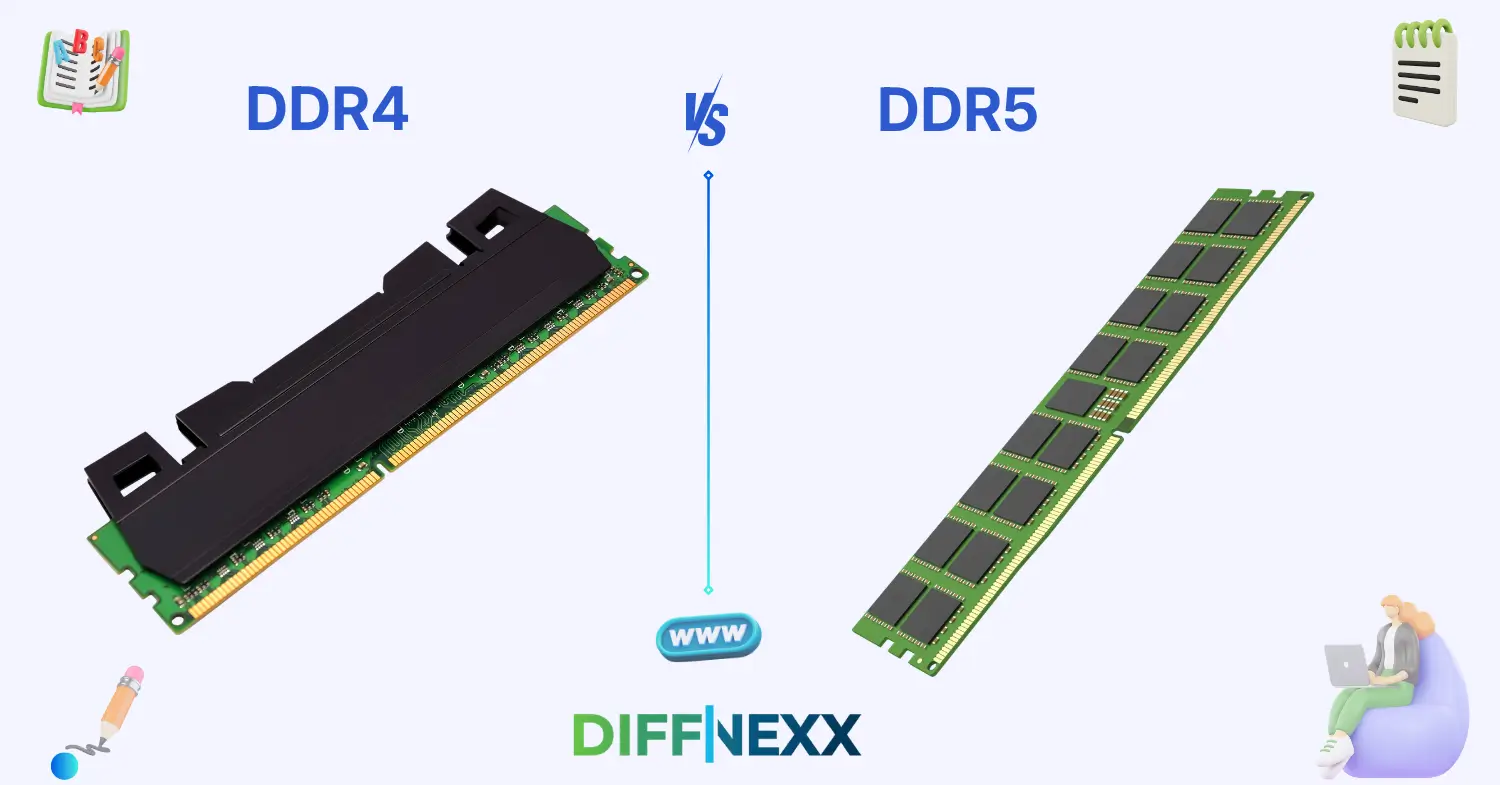
The difference between DDR4 and DDR5 is often the first thing gamers and PC builders look at when planning a new system. Imagine you are building your dream computer; you have the fastest processor and a sleek case, but you are stuck choosing between two types of memory. One is a reliable classic, and the other is a high-speed newcomer. Making the wrong choice could mean your expensive parts won’t even fit together.
DDR4 stands for Fourth-Generation Double Data Rate, while DDR5 is the fifth and latest evolution. Understanding the difference between DDR4 and DDR5 helps you decide if the extra cost is worth the performance boost. These components act as your computer’s “short-term memory,” handling everything from open browser tabs to intense video game textures.
The jump to the newer standard isn’t just about a small speed increase; it involves a total redesign of how data moves. In this guide, we will break down the difference between DDR4 and DDR5 so you can shop with total confidence.
Let’s dive into the technical heart of your computer and see which one reigns supreme. 🚀
Key difference between the both
The primary difference between DDR4 and DDR5 lies in bandwidth and power management. DDR5 effectively doubles the data rate of DDR4, allowing your computer to process much more information simultaneously. While DDR4 relies on the motherboard to manage its voltage, DDR5 has its own power management chip directly on the stick, making it more efficient and stable.
Importance: Why this difference matters for learners and experts
For learners, understanding this gap is essential because modern motherboards are usually compatible with only one type. You cannot plug a DDR5 stick into a DDR4 slot. Knowing the difference between DDR4 and DDR5 prevents costly buying mistakes and ensures your system actually turns on.
For experts, this transition represents a shift in how high-end computing handles “bottlenecks.” In a society moving toward AI, 8K video editing, and complex simulations, the higher capacity of DDR5 is vital. It allows professionals to run heavier workloads without the system slowing to a crawl.
Pronunciation Section
DDR4
US: /ˌdiː.diː.ˈɑːr fɔːr/
UK: /ˌdiː.diː.ˈɑː fɔː/
DDR5
US: /ˌdiː.diː.ˈɑːr faɪv/
UK: /ˌdiː.diː.ˈɑː faɪv/
Now that we know how to say it, let’s look at what these terms actually mean in the world of computing.
Core Definitions
DDR4
DDR4 is the fourth generation of synchronous dynamic random-access memory. It was the industry standard for nearly a decade, known for being extremely stable and affordable. It feels like a reliable “workhorse” that gets the job done without any fuss.
- Example: A standard office laptop from 2019 likely uses DDR4 to run Word and Excel smoothly.
DDR5
DDR5 is the fifth generation of memory, designed to handle the massive data demands of the 2020s. It offers much higher “ceilings” for speed and total memory size. It feels like a “cutting-edge” upgrade meant for those who want the best possible performance.
- Example: A high-end gaming PC built in 2026 uses DDR5 to play the latest titles at maximum settings.
10 Clear Differences Between DDR4 and DDR5
1. Maximum Speed (Data Rate)
DDR4 typically tops out around 3200MT/s (MegaTransfers per second) in standard builds. DDR5 starts where DDR4 ends, often reaching speeds of 4800MT/s to over 8000MT/s. This allows for much faster communication between the CPU and RAM.
- Example for DDR4: A speed of 2666MT/s is common in budget PCs.
- Example for DDR5: A speed of 6000MT/s is the “sweet spot” for modern gaming.
2. Maximum Capacity
DDR4 sticks usually cap out at 32GB per single module for consumers. DDR5 uses denser chips, allowing for sticks that can reach 128GB or even 256GB in the future. This is a massive jump for workstations.
- Example for DDR4: A 16GB kit (two 8GB sticks) is standard.
- Example for DDR5: A 48GB or 64GB kit is becoming common for enthusiasts.
3. Power Management Location
On DDR4, the motherboard’s voltage regulator handles the power for the RAM. DDR5 moves this to a PMIC (Power Management Integrated Circuit) located directly on the RAM stick itself. This reduces the burden on the motherboard.
- Example for DDR4: The motherboard sends a steady 1.2V to the RAM slots.
- Example for DDR5: The chip on the RAM stick precisely manages its own 1.1V power.
4. Operating Voltage
DDR4 operates at a base voltage of 1.2V. DDR5 is more energy-efficient, operating at a lower base of 1.1V. While the difference seems small, it adds up in large data centers and improves laptop battery life.
- Example for DDR4: High-speed kits often need 1.35V or more.
- Example for DDR5: Standard kits run cooler at 1.1V.
5. Internal Channel Architecture
DDR4 sees each stick of RAM as a single 64-bit channel. DDR5 splits a single stick into two independent 32-bit channels. This allows the processor to access data from the same stick more efficiently.
- Example for DDR4: One large “pipe” moves all the data.
- Example for DDR5: Two smaller “pipes” work together to improve data flow.
6. Burst Length
Burst length refers to how much data is accessed in a single sequence. DDR4 has a burst length of 8, while DDR5 doubles this to 16. This means DDR5 can grab twice as much data in one go.
- Example for DDR4: Grabbing 8 units of data per cycle.
- Example for DDR5: Grabbing 16 units of data per cycle.
7. On-Die ECC (Error Correction Code)
DDR5 features “On-Die ECC,” which corrects bit errors inside the memory chip itself. DDR4 does not have this on standard consumer sticks. This makes DDR5 much more stable at very high speeds.
- Example for DDR4: A rare data error might cause a slight system hiccup.
- Example for DDR5: The RAM fixes its own internal errors before they reach the CPU.
8. Physical Pin Key (The Notch)
Both have 288 pins, but the “notch” in the middle is in a different spot. This is a physical safety feature. You cannot accidentally force DDR5 into a DDR4 slot without breaking it.
- Example for DDR4: The notch is located slightly to one side.
- Example for DDR5: The notch is moved toward the center, preventing cross-compatibility.
9. Latency (Timings)
DDR4 generally has lower “latency” (the delay before data starts moving) compared to DDR5. However, DDR5 makes up for this with much higher raw speed. Think of DDR4 as a quick sprinter and DDR5 as a fast freight train.
- Example for DDR4: CL16 is a very fast, low-latency timing.
- Example for DDR5: CL40 is a common, higher-latency timing.
10. Price and Availability
DDR4 is currently the budget king, found everywhere and very cheap. DDR5 is the new standard; while prices have dropped, it remains more expensive than the older generation.
- Example for DDR4: Very affordable for student builds or office PCs.
- Example for DDR5: A premium choice for those building for the next 5 years.
Why Knowing the Difference Matters
Students must know the difference because it dictates their budget. If you buy a DDR5 motherboard but only have money for DDR4 RAM, your computer will not work. It is a fundamental lesson in hardware compatibility.
Professionals, especially those in video production or engineering, need to know that DDR5 offers higher “bandwidth.” This means they can render videos or run simulations faster. It directly impacts their “time-to-completion” for big projects.
Socially and in communication, being aware of these standards shows technical literacy. If you are a consultant or a salesperson, suggesting the wrong memory type can damage your professional reputation.
Real-world consequences of confusion
If a buyer ignores the difference between DDR4 and DDR5, they might purchase a high-end CPU and motherboard only to find their old RAM doesn’t fit. This leads to “downtime,” shipping returns, and potential damage to fragile hardware components if they try to force a fit.
Why People Get Confused
People often get confused because both sticks look almost identical to the naked eye. They are the same length and have a similar number of pins. Unless you look closely at the label or the notch, they are easy to swap.
There is also “semantic overlap.” Since both are called “DDR RAM,” many users assume they are interchangeable. Informal speech often drops the version number, leading people to just ask for “16GB of RAM” without specifying the generation.
Connotation & Emotional Tone
(Connotation = the emotional meaning attached to a word.)
For DDR4:
- Tone: Neutral to “Vintage/Reliable.”
- Explanation: It feels safe and familiar. It represents a “proven” technology.
- Example: “My old DDR4 rig still runs like a champ.”
For DDR5:
- Tone: Positive to “Futuristic/Elite.”
- Explanation: It carries the excitement of “next-gen” power and speed.
- Example: “I finally upgraded to a DDR5 build for maximum FPS.”
Usage in Metaphors & Idioms
While RAM isn’t often in old idioms, we can use it to describe mental capacity.
- DDR4 Metaphor: “He has a DDR4 brain—reliable and fast enough for the basics, but he can’t handle too many 4K tasks at once.”
- DDR5 Metaphor: “Her memory is like DDR5; she processes massive amounts of information without breaking a sweat.”
Comparison Table
| Feature | DDR4 | DDR5 |
| Base Speed | 2133 – 3200 MT/s | 4800 – 8000+ MT/s |
| Voltage | 1.2V | 1.1V |
| Max Capacity | 32GB per stick | 128GB+ per stick |
| Power Mgmt | On Motherboard | On the RAM (PMIC) |
| ECC | Side-band (Server only) | On-Die (Standard) |
Which Is Better in What Situation?
When to use DDR4
Use DDR4 if you are on a strict budget or building a basic home office computer. If you already own a DDR4 motherboard and CPU, it doesn’t make sense to upgrade unless you are switching the whole system. It is perfect for 1080p gaming and general tasks.
When to use DDR5
Use DDR5 for any “future-proof” build. If you are buying a new Intel or AMD processor from 2024–2026, DDR5 is often required. It is the better choice for content creators, high-refresh-rate gamers, and anyone working with AI tools.
Situational clarity
If your work involves “multitasking” (50+ browser tabs, music, and a heavy app), DDR5 handles the load better. If you just want to watch Netflix and write emails, DDR4 is more than enough.
Contextual correctness
In 2026, DDR5 is the “correct” choice for new builds. DDR4 is now considered a “legacy” option for repairs or extreme budget builds.
Literary or Cultural References
- “The Soul of a New Machine” (Non-fiction, Tracy Kidder, 1981): While it predates DDR, it explains the intense engineering race to create the next generation of hardware.
- “Cyberpunk 2077” (Video Game, CD Projekt Red, 2020): This game famously pushed hardware to the limit, making the jump to faster RAM like DDR5 a necessity for many players.
FAQs
1. Can I put DDR5 RAM into a DDR4 motherboard?
No, you cannot. The physical notch on the RAM stick is in a different position, and the electrical wiring is different. Attempting to force it could break the RAM or the motherboard.
2. Is DDR5 significantly faster for daily tasks?
For opening Chrome or Word, you won’t notice a huge difference. However, for “data-heavy” tasks like zipping large files or exporting video, DDR5 is noticeably faster than DDR4.
3. Does DDR5 make gaming better?
Yes, but it depends on the game. Modern titles that use a lot of CPU power see an increase in “minimum frame rates,” which means the game feels smoother and has fewer stutters.
4. Why is DDR5 more expensive?
DDR5 includes extra technology like its own power management chip (PMIC) and internal error correction (ECC). These extra parts and the newer manufacturing process drive up the cost.
5. Is DDR4 dead?
Not yet. Millions of systems still use it, and companies still manufacture it for budget-conscious users. However, it is no longer the “cutting-edge” choice for new computers.
Conclusion
Understanding the difference between DDR4 and DDR5 is the key to building a modern, efficient computer. DDR4 remains a reliable and affordable choice for those who don’t need the absolute fastest speeds. On the other hand, DDR5 offers a massive leap in bandwidth, power efficiency, and capacity, making it the clear winner for the future of technology.
Choosing the right memory ensures your system stays stable and fast for years to come. Whether you are a student learning the ropes or a pro building a workstation, clarity on these hardware standards is vital. Always check your motherboard specifications before buying!
Keep exploring the world of hardware every small part plays a big role in your digital life. 🌟

Anton Reyes is a contributing writer at DiffNexx.com, where he explores meaningful differences in language, culture, and everyday concepts. With a background in creative nonfiction, Anton brings clarity and balance to complex comparisons. His writing helps readers understand subtle distinctions in words and ideas, making learning both insightful and engaging.